4 min read
"How to Set Up Your Workspace"


During this time, many friends have asked me about my recent situation. They thought I was still in Shanghai or Guangzhou, but in fact, I moved to Shenzhen about a month ago. Under the pandemic, I've also been going out less frequently, but I still occasionally work outside. After some time of tinkering, I finally set up my workstation.
**Hardware Section**
**Home Office**
When I was in a corporate environment, many facilities were up to corporate standards, such as desks, chairs, and monitors. There were also aspects of development work like code management, servers, and networks. However, once you leave the company, you need to purchase these items yourself, but the good thing is you have options.
I previously bought a long table from IKEA, but over time I found it wasn't conducive to work. Like the desks in the office, it has a fixed height, which can lead to neck strain and cervical issues over time. Therefore, an electric height-adjustable desk is essential; it helps you adjust the desk height or allows for standing while working (though I don't use that feature much).
If you can sit, why stand? Prolonged sitting can lead to another issue: lumbar problems (though I already have a herniated disc). An ergonomic chair is necessary; of course, Herman Miller chairs are too expensive, so I opted for a domestic brand, Baoyou's Jinhao B, which is said to be used by companies like Tencent.
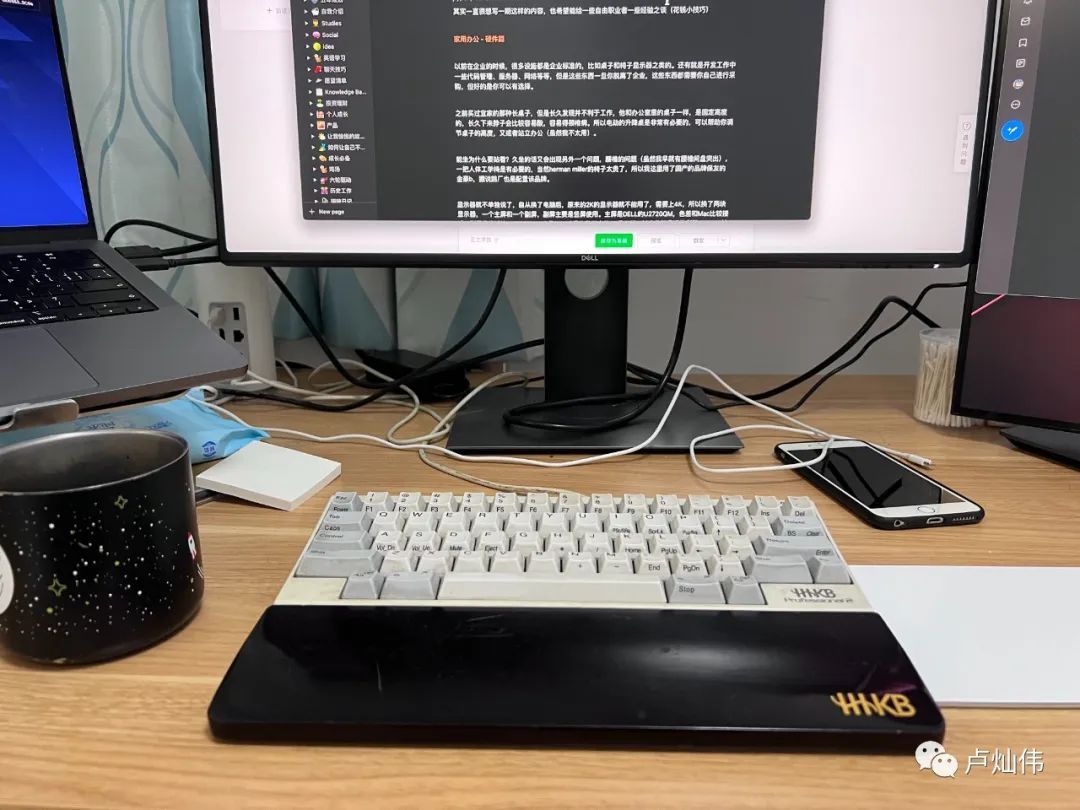
I won't go into detail about the monitor. Since I switched computers, my original 2K monitor became unusable, so I upgraded to 4K. I got two monitors: one main screen and one secondary screen, with the secondary screen mainly used in portrait mode. The main screen is a DELL U2720QM, which has color accuracy close to that of a Mac. The secondary screen is a ViewSonic 24VX2478, one of the few 4K monitors in the 23.6-inch category. The keyboard is still the HHKB, a favorite for typing, and the touchpad is Apple's. A Mac cannot do without a docking station, so I also have a Ugreen docking station.
Since I have a gigabit broadband connection at home, I switched to Xiaomi's AX9000, but the firmware on Xiaomi routers is quite problematic.
Below is the hardware for my main office setup.
**Working Outside**
Although my home work environment is comfortable (plus I have a cat to cuddle), I occasionally go out to work in a café, but usually not for too long, as the chairs there aren't very comfortable for middle-aged backs.
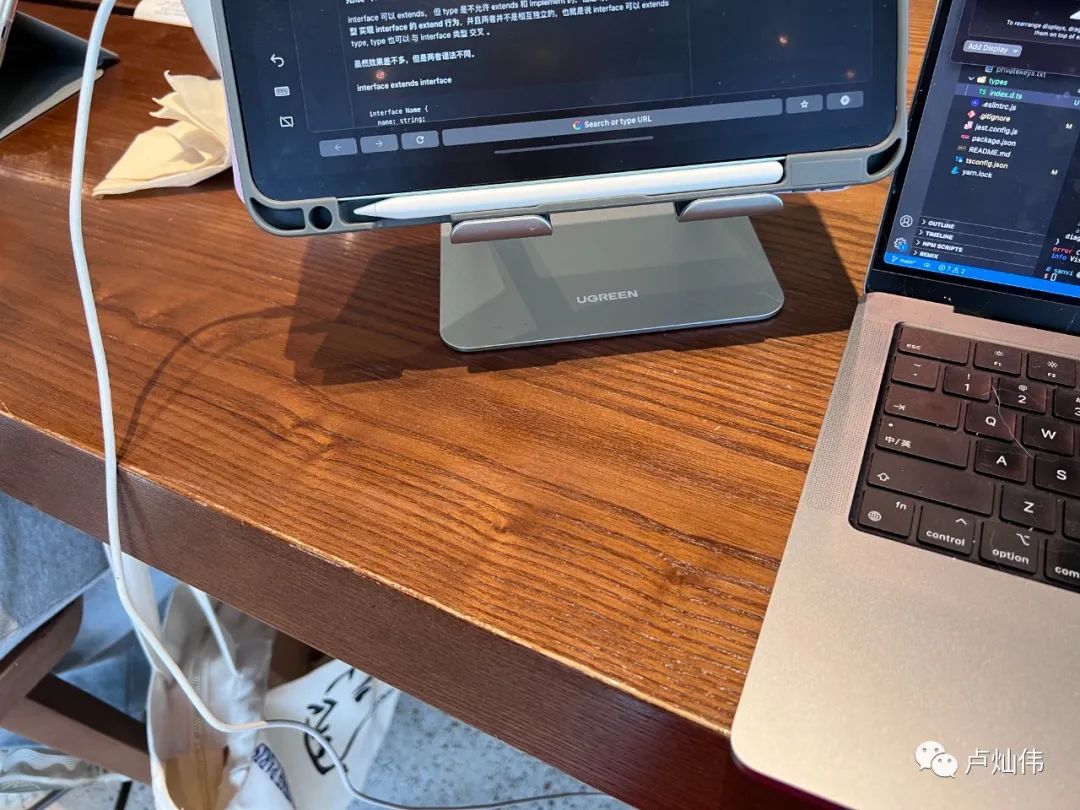
So I generally bring a Ugreen stand, mainly to hold my iPad Air 4 as a secondary screen, along with a Logitech keyboard (which I mostly don't use), and I take a Xiaomi power strip with me. With my laptop, the bag gets quite heavy.
**Software Section**
Due to concerns about private key security, I'm not very comfortable running my accounts directly on a cloud server. I'm also worried that one day I might accidentally upload my private key to GitHub, which would be quite troublesome. So, I set up a local Linux environment to run some scripts and a local GitLab as a code repository.
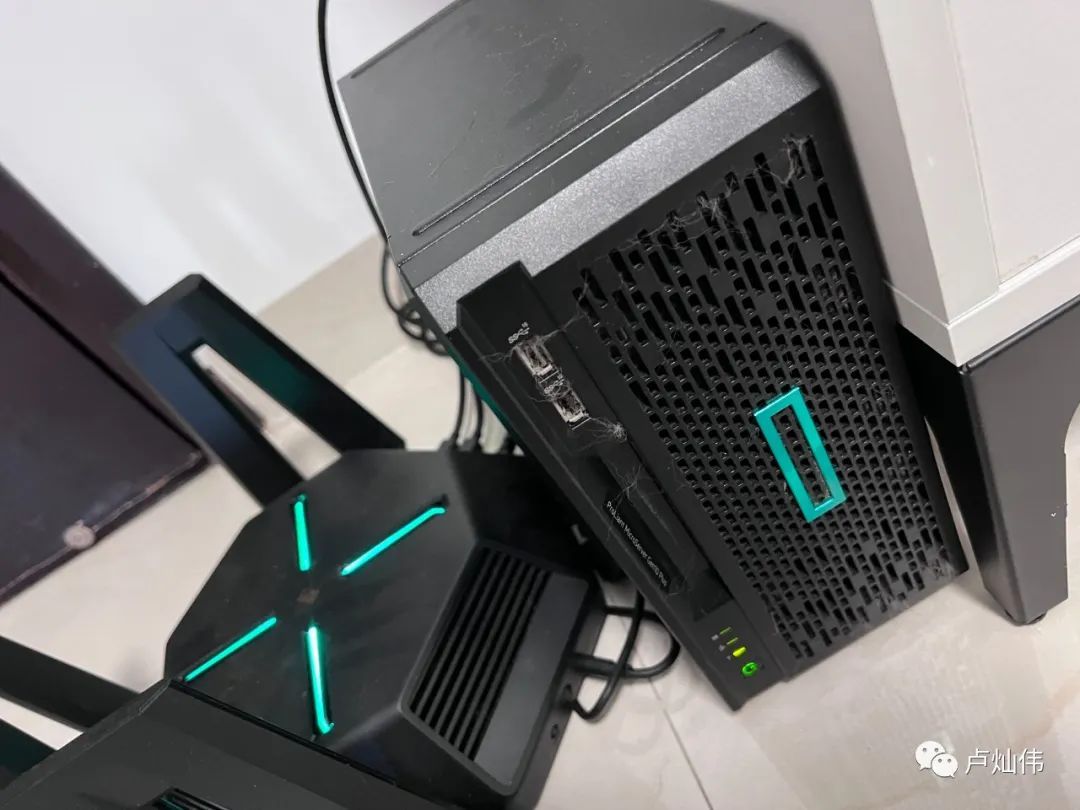
At this point, my tinkering side led me to acquire an HP home server, the HP Gen10 Plus. I virtualized three systems using ESXi: one Windows 10, one Hackintosh, and one Ubuntu. Don't mind the cat hair that hasn't been cleaned up.
Currently, I'm using the Hackintosh mainly for Docker, running Redis and GitLab, along with a media system. My Xiaomi TV at home has Kodi installed, which connects directly to the media system on the server to play high-definition videos. I recently finished watching "Venom 2" and "The Eternals," but I got lazy about finding resources afterward and lost interest in movies.
This setup works great at home, but it becomes awkward when going out. Since current broadband connections use public IPs, I can't access my home network from the outside. However, for someone who enjoys tinkering, these issues aren't a big deal.
When I was working on community software, I bought a server from Alibaba Cloud that had a public IP. So, can we access our private machine through our public machine?
I found an internal network penetration software called frpc. As long as you run the server side on your public server and the client side on your private server, you can establish a communication tunnel. Then, your server can map the local private server ports through port mapping, allowing external access.
But a new problem arose: every time I add a server, I have to tinker with it again, and I need to record two sets of account passwords in 1Password, which is quite cumbersome. I wondered if I could set up a ladder like we used to access the corporate intranet, so that I could enable it for internal access.
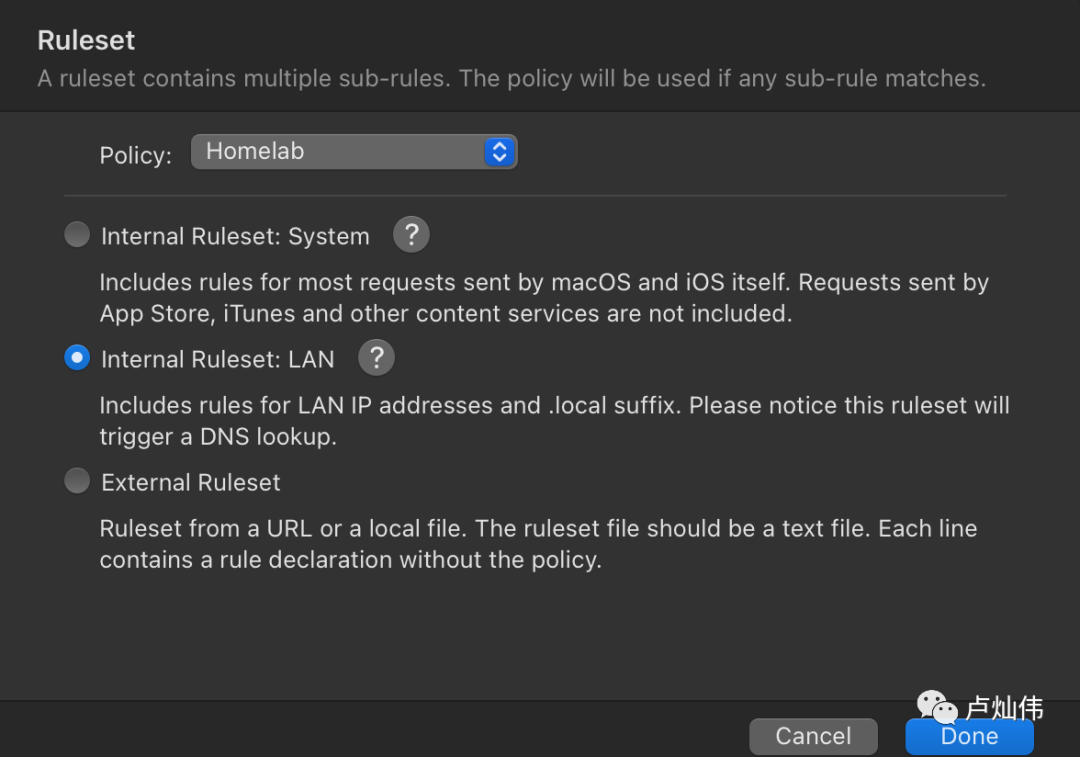
I discovered that frpc supports socket channels, so I started tinkering. However, I couldn't access the internal network from the external network while at home. That's when I remembered that the Surge software supports custom rules. I set a rule so that whenever I access an internal IP, it would determine whether to use internal network penetration based on my settings.
**Conclusion**
For freelancers, most people don't need such a complicated setup; regular cloud services are sufficient. This is mainly to broaden everyone's thinking. I haven't been writing much lately, and I generally don't post about Web3 on my public account anymore; instead, I share it on Mirror. You can find some content through my Twitter @sanvibyfish.
This public account is still used for casual chats with everyone...