9 min read
Independent Development Diary 21: The Thai Course Is Live
It just so happens that the weekly quotas of Codex and Claude Code are full these two days, so I will take a break and make up for the few articles I owe.
I wrote more than 7,000 words in my last article. I also asked AI to help me sort out my thoughts, but I found that no one read it. Hahaha, I won’t bother with that anymore, just write it casually.
I have a break this month, so I have more time. I plan to work on some of the projects I wanted to do before, and I also need to iterate on the pitfalls I made before.
StudyThai.ai
v7 transcription engine
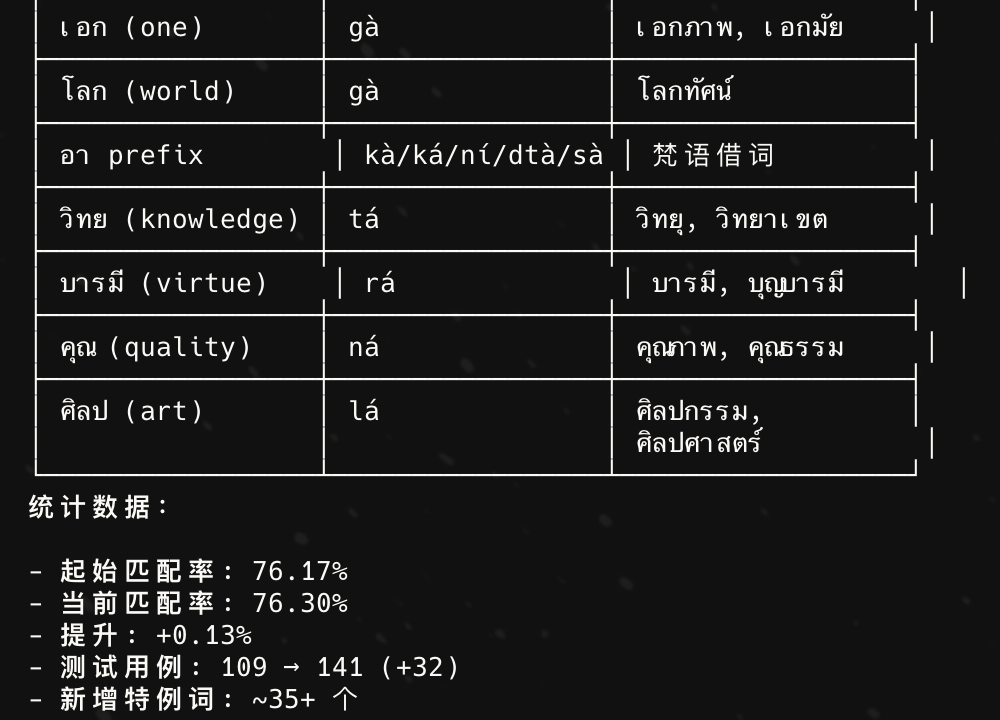
I have been spending most of my time on this project recently. Let’s talk about the most time-consuming thing first, which is the issue of transcription. In fact, it is the transliteration of Thai into Roman pronunciation. I said before that the accuracy of the fourth version may reach about 80%, but I overestimated it. Moreover, I said before that his NLP semantic analysis is very slow, especially after taking an AI teacher, the performance of long sentences is very poor.
Then I made a voting algorithm before, which was based on scoring to see which word segmentation to choose. It turned out that the correct word segmentation had a low score, and the wrong word segmentation had a high score. Therefore, the new word segmentation algorithm is not so complicated. It is the maximum forward matching of the dictionary. If it is wrong, it will fall back to match. Then it will be tested through the 10,000 sentences generated by the current AI reading, and then compared with the original engine to directly improve the accuracy.
The transliteration of words has also been changed from the original rule algorithm through if-else to table-driven, and is transcribed step by step through pipeline priority, such as removing null values first, repeating symbols, searching for special words, etc., like a funnel from top to bottom. Then use a large dictionary library (other transliteration rules, there are many kinds of transliteration in Thai, the teachings on the market are basically paiboon rules), and replace it with paiboon rules through scripts. Then list the two sides consistently in the test case for testing (to avoid subsequent changes to the rules that may cause them to be wrong again), and then proofread them one by one, using notebookllm for assistance, and then let the AI perform training and repairs on its own, improving the accuracy little by little.
After this round, we have removed all external dependencies of transcription, greatly improving the efficiency of transcription.
Performance optimization
We checked some slow places, such as changing the query using in to a subquery that caused the query to be slow. In addition, the original real-time requirements such as transcription were changed to pre-processing to improve efficiency. Including optimizing some algorithms. In the past, for the convenience of graphs, some training directly queried 500 questions and randomly selected questions. Some of these were optimized, and some were left as legacy. When I have time, I will do a special version of performance optimization.
Course online
Many users come here hoping to learn Thai from scratch. I used to make this tool based on myself, but later many users came to me for feedback, so I recently spent a lot of time collecting, designing and making course modules. How to create a course can be explained in a separate article later. Notebookllm and Claude Code Skills are mainly used to complete the design of the entire course, and then manual inspection and adjustment are performed.
There are 7 levels set up, and you should be able to reach an intermediate level after learning them all. However, the production of the course will take a lot of time and requires proofreading, adjustment and testing. I didn’t expect it to be so tiring when making it for the first time. I originally wanted to launch level 0 and level 1 together, but unfortunately there are still many unsatisfactory aspects in the course design. I don’t want to be like Duolingo or Ling, who come up and teach you a bunch of words about men, women, hello. These are a bit difficult to get started, just like when you learn English, you have been reading how are you.
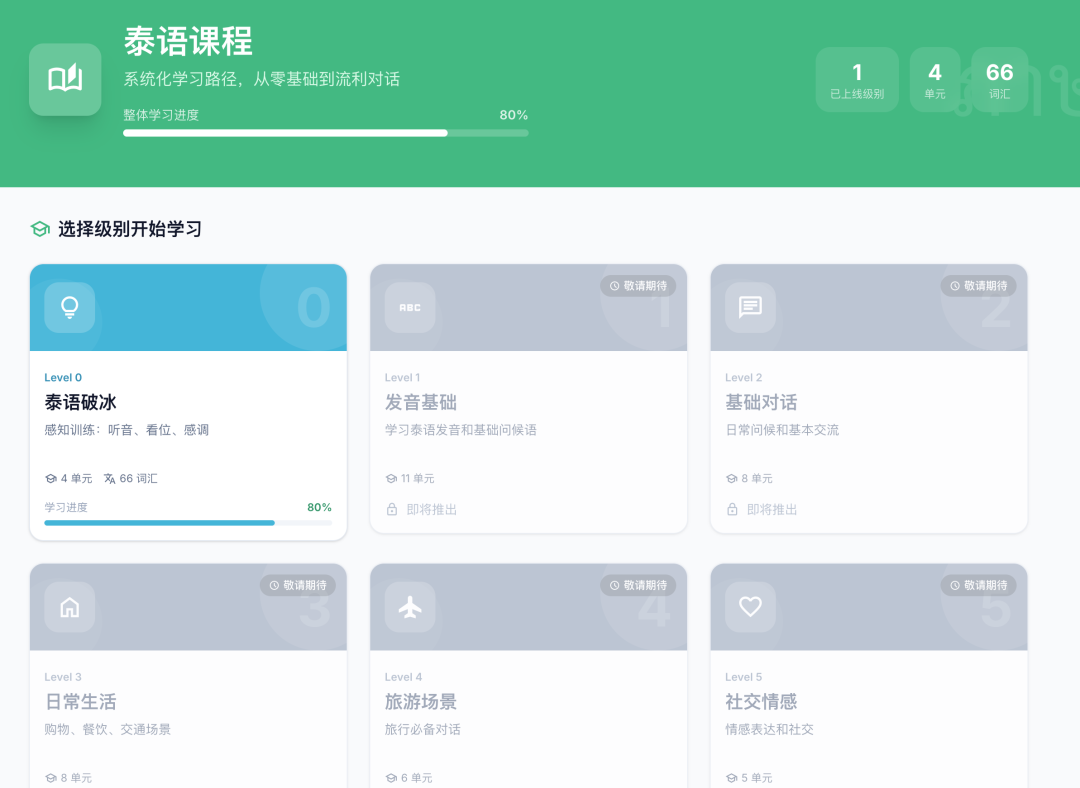
So I spent a lot of time thinking about this matter, how to let students with no basic knowledge understand Thai language?
Therefore, an ice-breaking level is designed, level 0. The courses at level 0 are mainly to help students understand the basic Thai language.
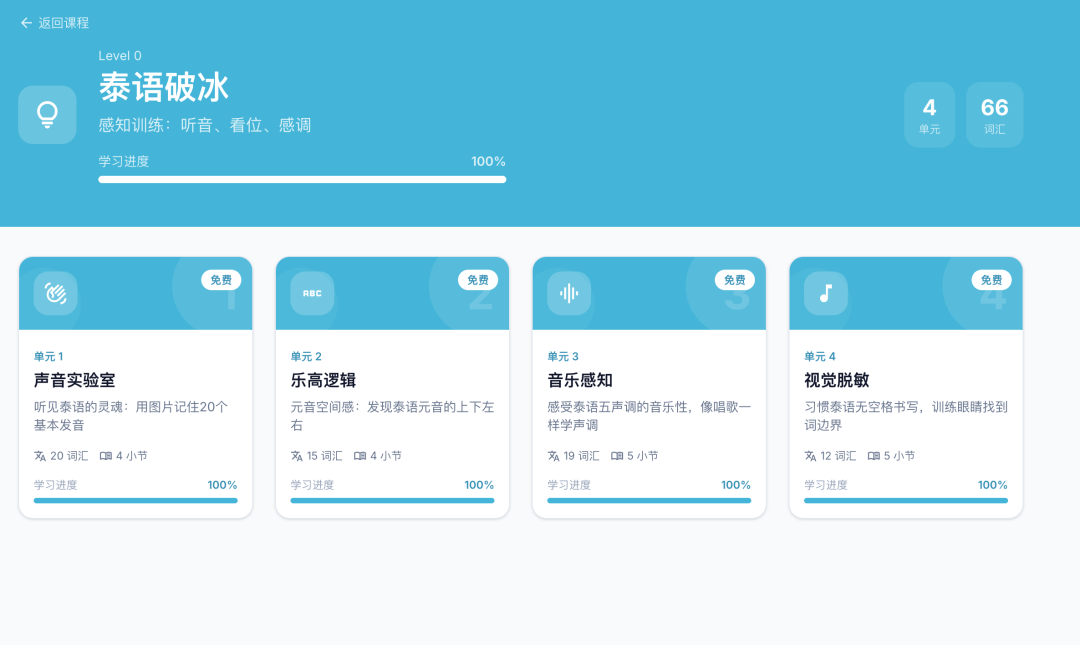
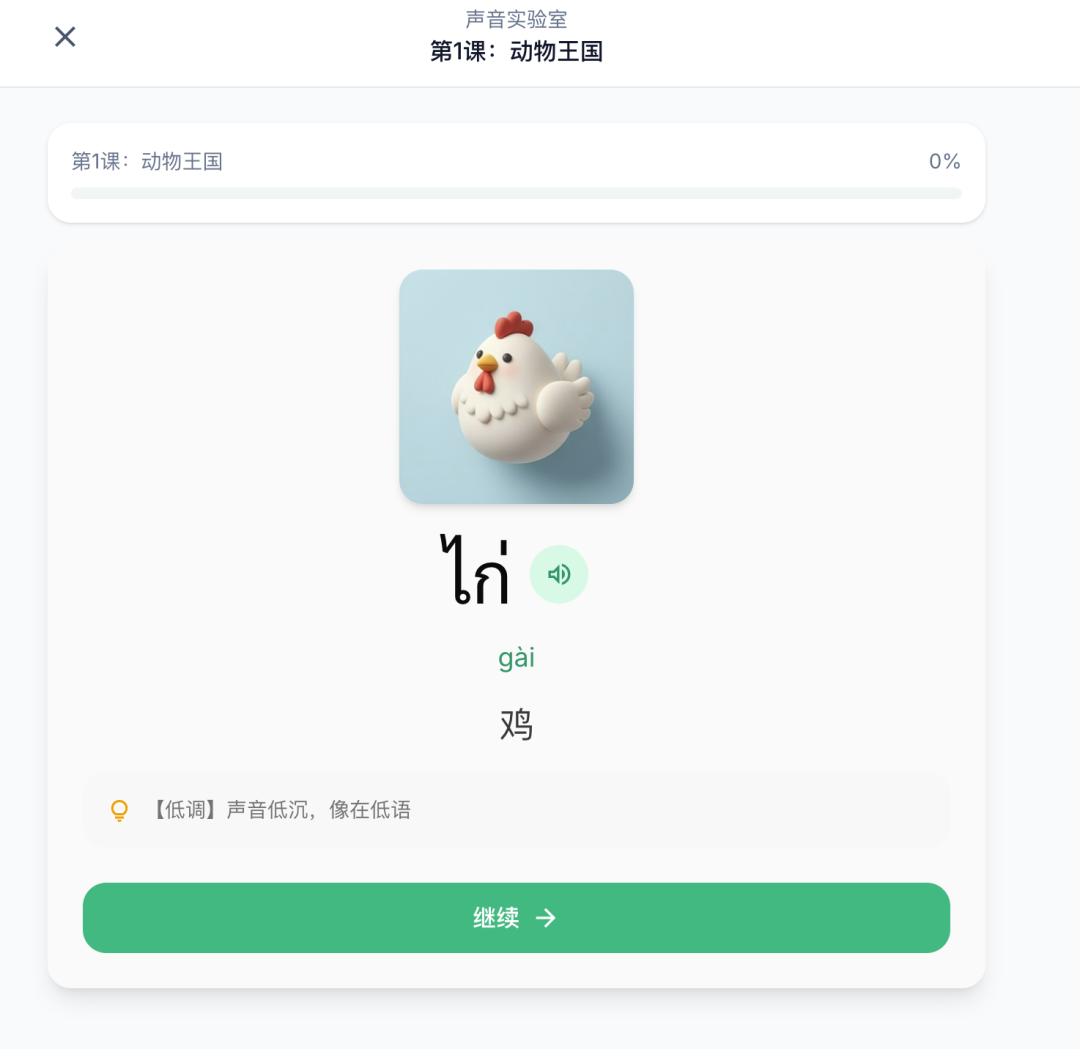
For example, in traditional teaching of consonants, ก will be memorized together with words, and ก will be memorized together with 🐔, so I put 20 commonly used words with consonants together to make everyone familiar with them, and accompanied them with pictures. However, people feel pressured to learn words as soon as they start, so the first lesson is to learn the pronunciation of animal objects to make everyone familiar with them.
The second lesson is mainly to help everyone get familiar with the position of vowels. When I first learned Thai, I was confused as to why vowels can appear up, down, left, and right, so I designed this link to help everyone understand.
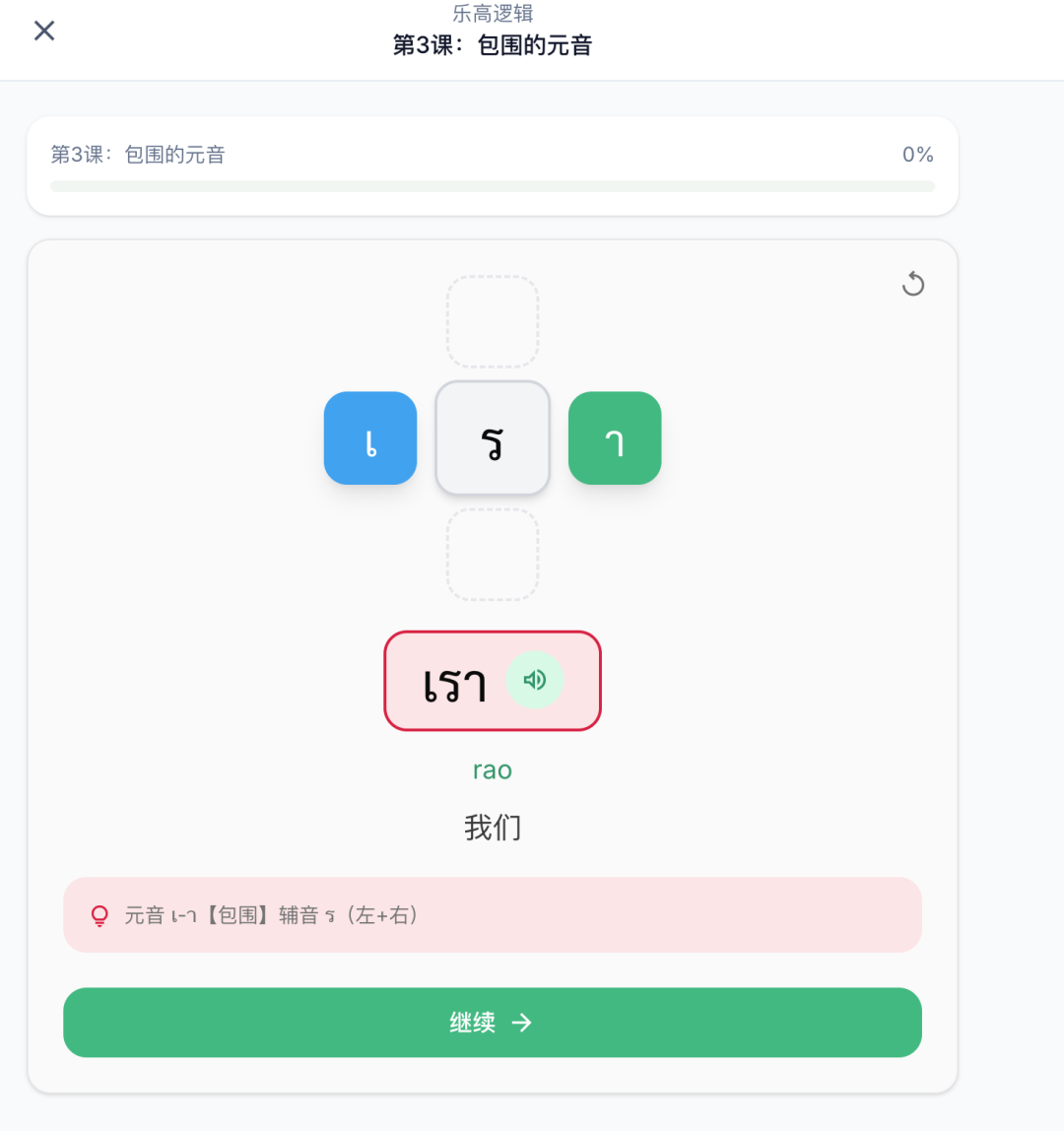
The third lesson is mainly to help everyone get familiar with the five tones of Thai. This is also the most difficult. Even though I have been learning Thai for so long, it is difficult for me to get it right in this lesson. It all sounds the same.
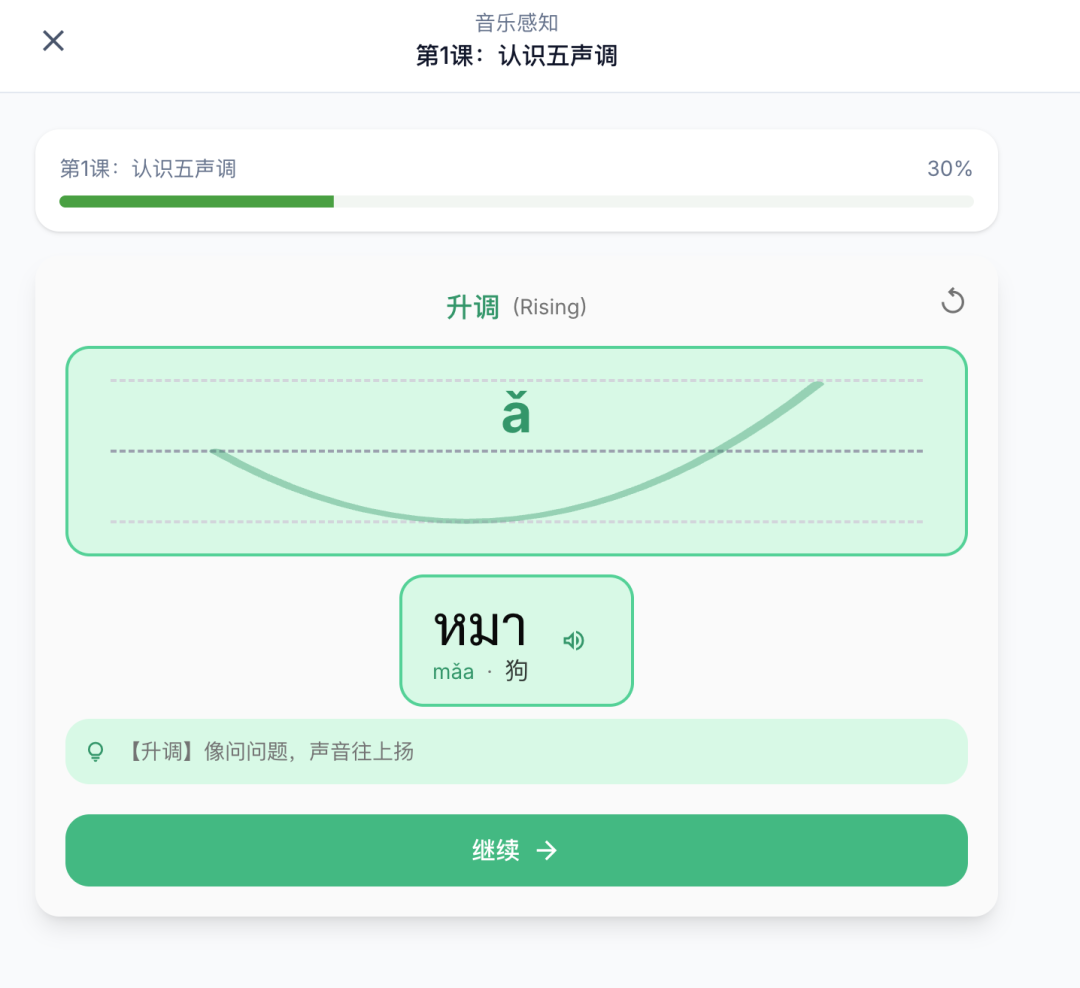
The fourth class is to let everyone get familiar with Thai, because Thai does not have any punctuation marks, so people with no basic knowledge are confused! So we designed this link to cultivate your sense of language and let you know what words and words are and what syllables are.
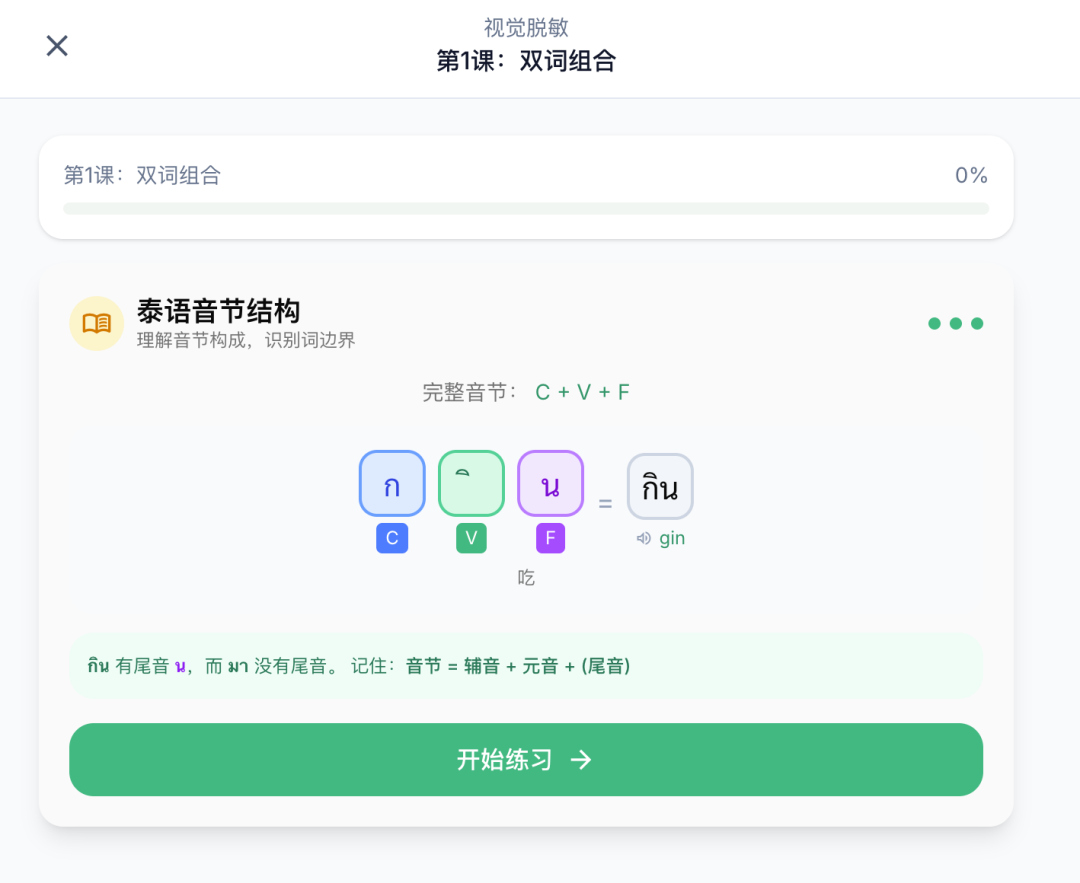
I have stayed up all night for this course, mainly because I have been unsatisfied and revised it repeatedly. Most of the level 1 courses are actually designed, but they are still being adjusted. The overall direction is to familiarize myself with vowels and consonants, as well as the tone system and tone marks, but I am still adjusting on how to learn better.
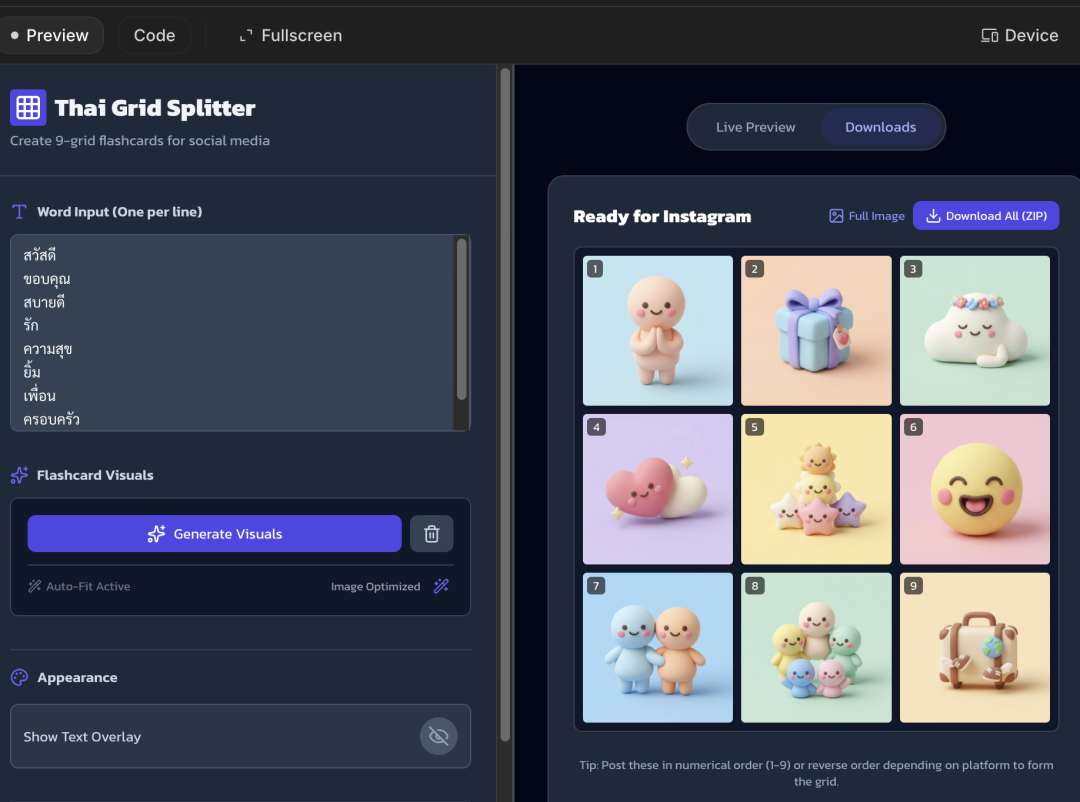
Then the word pictures were generated through Nano banana. The main reason why Nano banana 2 was not used was that it was expensive. Then give 9 words at a time, generate a nine-square grid, and cut it through the program to remove the white edges. Currently, some places are still a bit white (so it is still too expensive), but it is basically usable. In the future, I will consider a high-definition picture for each word when I have a financial sponsor.
Automated testing
Mainly because of the complexity of functions now, we can no longer vibe code like before, so we need to consider introducing some engineering-level things. Don’t just go online and look at toys that are made in ten minutes. We are actually making a sustainable iterative product.
The first is test coverage, which is mainly divided into unit testing and integration testing. Currently, integration testing mainly uses playwright to run headless browsers to test some things on the interface. When doing courses before, the content has been adjusted, including different question types, etc. Every time I modify it, I have to do all the questions again, so I have studied whether there is a way to test this area, but currently it mainly covers some processes that are more troublesome for manual testing.
Then there is the unit test. There is not much to say about this, just test what you write.
Then there is the access to ci. I ran a runner on my other mac mini. Every time the code is submitted, it will run the test by itself and synchronize the results to github actions.
There is also the deployment of an additional dev online environment. The previous problem was that sometimes it was necessary to test compatibility, such as functions that can be used on computers, compatibility issues on mobile phones (for example: playing audio), and domain name issues, so this time we deployed an additional environment, but we do not want this environment to be accessed by others. So you can use cloudflare access for whitelist authentication. After configuring it, enter your email address and get the verification code before you can enter.
Quantitative Robot
I stopped iterating after I lost $100 in the previous version. As I learned more about AI Agent, I felt that the problem with the previous version was that we only had prompt words + output, which was completely useless. Recently I saw an example of Claude making an AI vending machine administrator. The AI in it can think and make decisions, instead of just taking data and outputting it.
Later, I referred to the multi-agent model of skills, and I thought it could be used here. Write various tools and provide them to AI. After the AI thinks deeply, it chooses which tools to call to collect information for better decision-making. The whole experience is similar to when we use Claude Code. Of course, it is just an idea at the moment. I have made a version of the requirements document, and there are still many details that need to be investigated clearly before it can be realized.
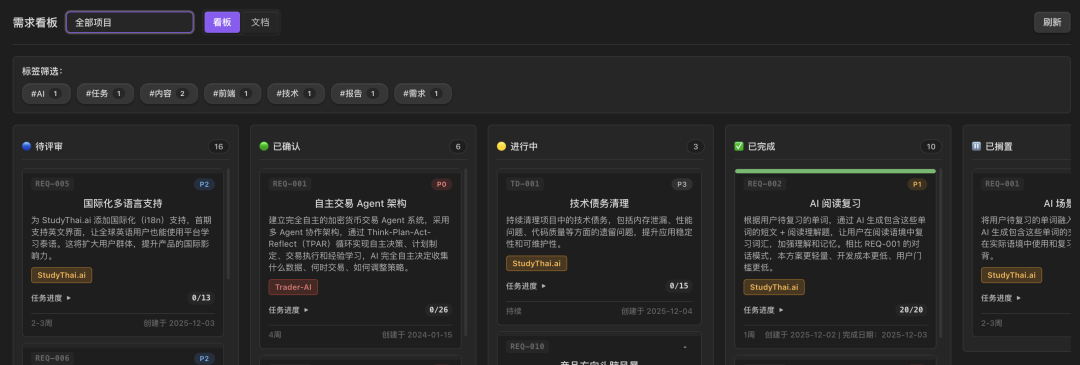
obsidian kanban
As each project now has more and more demand pools, and the demand pool documents of each of my projects are in the same standard format, I was wondering if I could make a kanban to better see the current tasks. Later, I made a plug-in through AI, so that I can see what the current demand pools of all projects look like.
First I create an empty folder, and then create a separate folder for each project below. Then the respective projects are quoted by reference, then the plug-in is analyzed, and finally converted into kanban.
There are not many functions yet, but it is much clearer than searching directly in a bunch of markdown.
OwlUploader
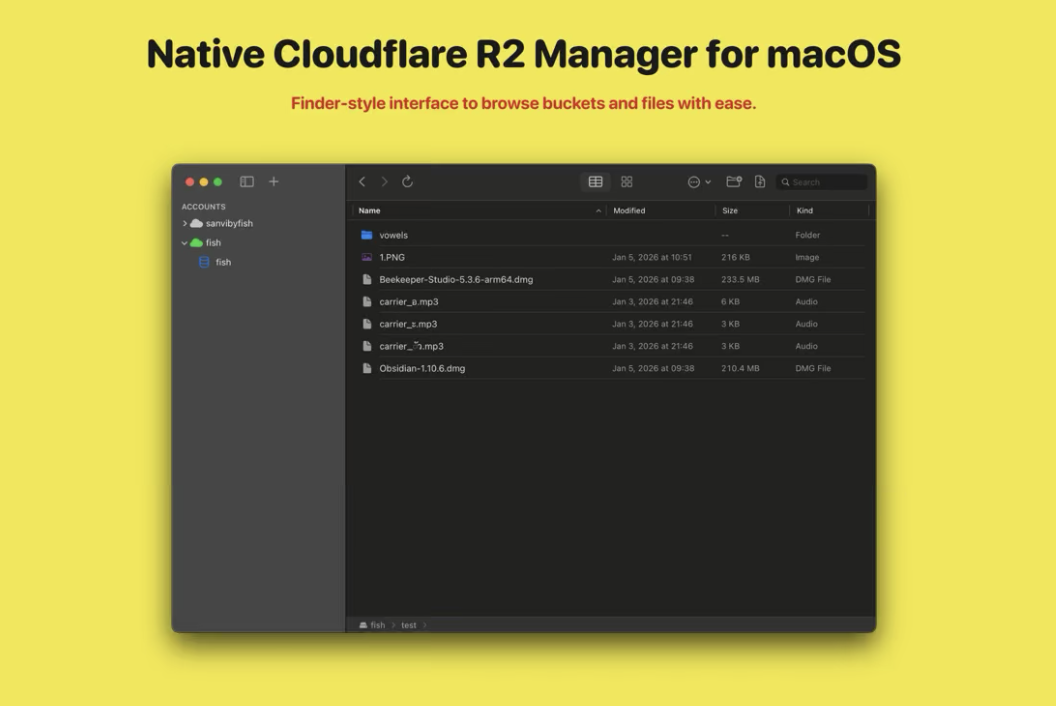
Because I had to upload pictures frequently when doing courses, I used the previously open source R2 storage application, but found that there were many inconveniences, such as only supporting single picture upload, not supporting drag-and-drop upload, etc.
So I spent some time iterating on a new version. Now you can operate R2 like a finder, with functions such as folders, multi-file upload and download, chunked upload and download, multi-bucket and account linking.
After spending so much time and effort and renewing my developer account for one year, I simply listed it on the Mac App Store without going into too much trouble and directly set a buyout price. If you don’t want to spend money, just download the source code and compile it.
other
I am too lazy to write. I will write a summary at the end of every year, and I will find time to write it in 2025. I also plan to share the production of the course, and I also plan to make a series of articles about my experience in using AI for projects this year. My current plan is to stop developing AI when the weekly quota is full, and write something.