6 min read
"Next-Generation Note-Taking App Notion: How I Use It to Manage Knowledge"


This article is Lu Canwei's 27th original piece.
Procrastinators once again prove that laziness is human nature. Recently, I have been reading "The Autobiography of Gandhi." In his youth, Gandhi struggled with many issues but ultimately overcame them. For example, he faced challenges regarding eating meat, milk, desires, and so on. I also hope to persist in maintaining a weekly update.
Another topic that everyone might find interesting is the so-called diary of Hu Shi's card games, which actually comes from "Hu Shi's Study Abroad Diary." This record of card games spans from January 29, 1910, to September 6, 1911. During that year, he played cards only 36 times, probably fewer than the number of times you play Honor of Kings in a year. Moreover, during his study period, he read a large number of Chinese and foreign classics, learned multiple languages including English, German, and Latin, and particularly excelled in the fields of chemistry, biology, and mathematics while studying agricultural sciences at Cornell University. He also actively participated in social activities.
Introduction to Notion
In the previous article, I mentioned how to build a knowledge system, which cannot be separated from the support of tools. Today, the main focus is on Notion. I have previously used Evernote, Bear, and Typora, and finally found a tool that meets my needs. Of course, many people prefer using Evernote and have their own knowledge systems; what suits you best is what matters.
So, what is Notion?
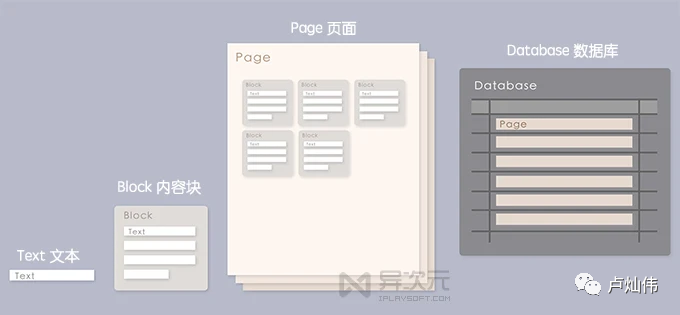
The following image illustrates the meta-components in Notion: Text < Block < Page < Database < Workspace. You can understand it as an infinitely nested notebook.
Blocks can be freely dragged, arranged, and laid out.
Basically, you can create a fully customized page with Notion, which is more powerful than OneNote. However, excessive customization can raise the entry barrier; I spent two days just learning to navigate the process.
As for how to use it, there are many content creators on Bilibili and YouTube sharing experiences and usage methods, so I won't go into detail here. I will mainly discuss how I currently use it.
My Notion
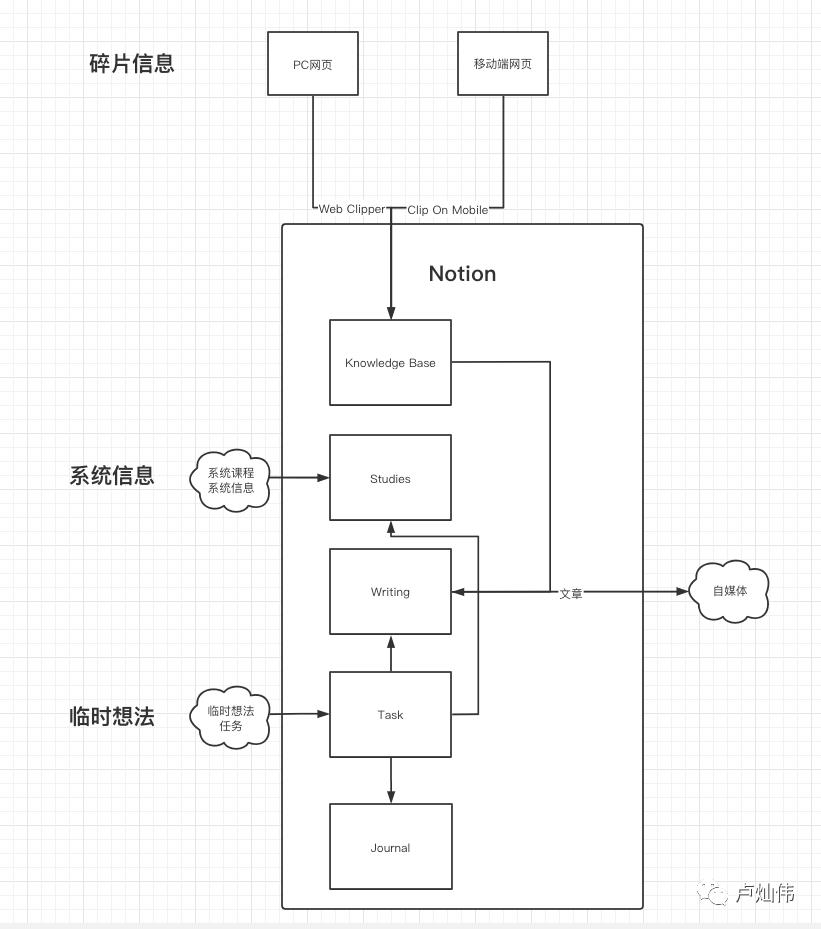
First, here’s a rough flowchart.
Fragmented Information
We often receive a lot of fragmented information, such as articles shared by friends, information from certain news apps, or things we see that need to be recorded. In the past, I would just throw them into my favorites and then forget about them. Sometimes, after reading some information, I later find it hard to recall the source, which happens quite often.
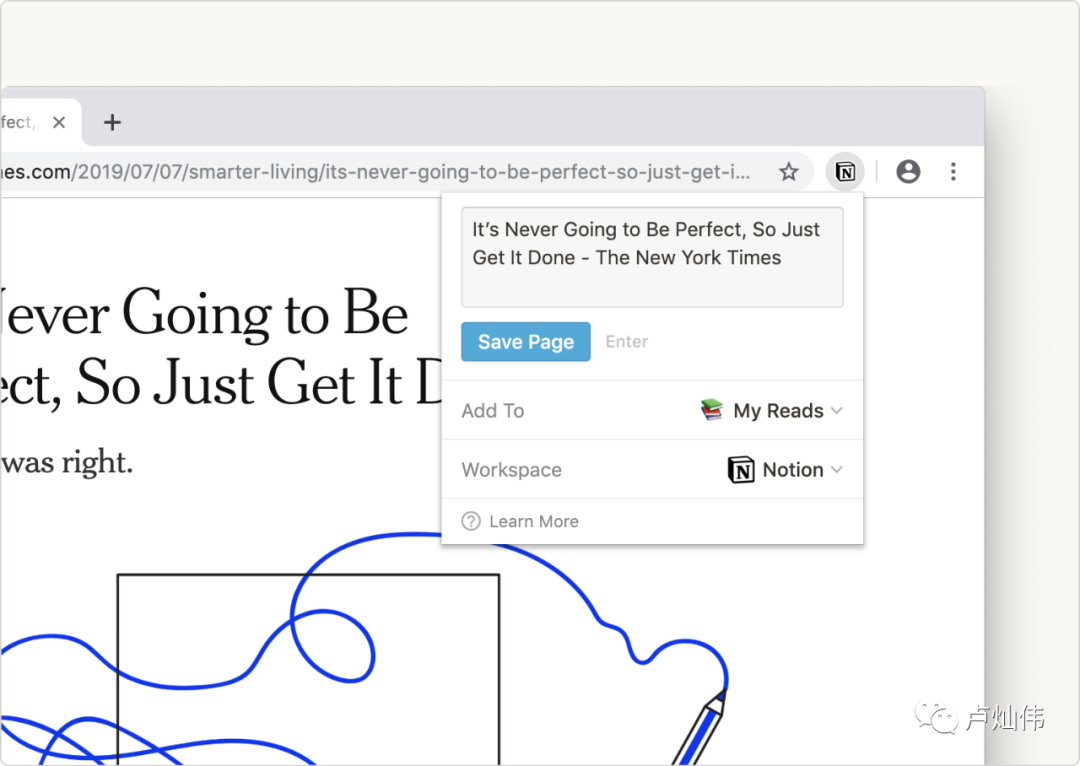
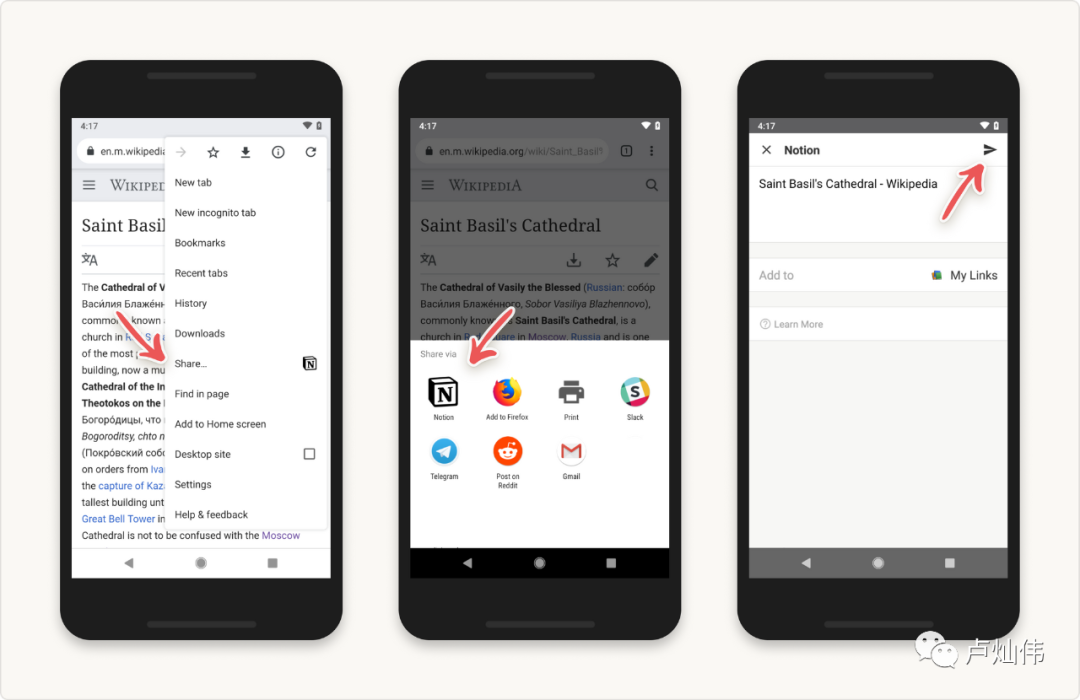
Now, I mainly use the Web Clipper plugin provided by Notion on my computer to directly collect information into Notion. Then, I create a Knowledge Base as a database for fragmented information.
Web Clipper
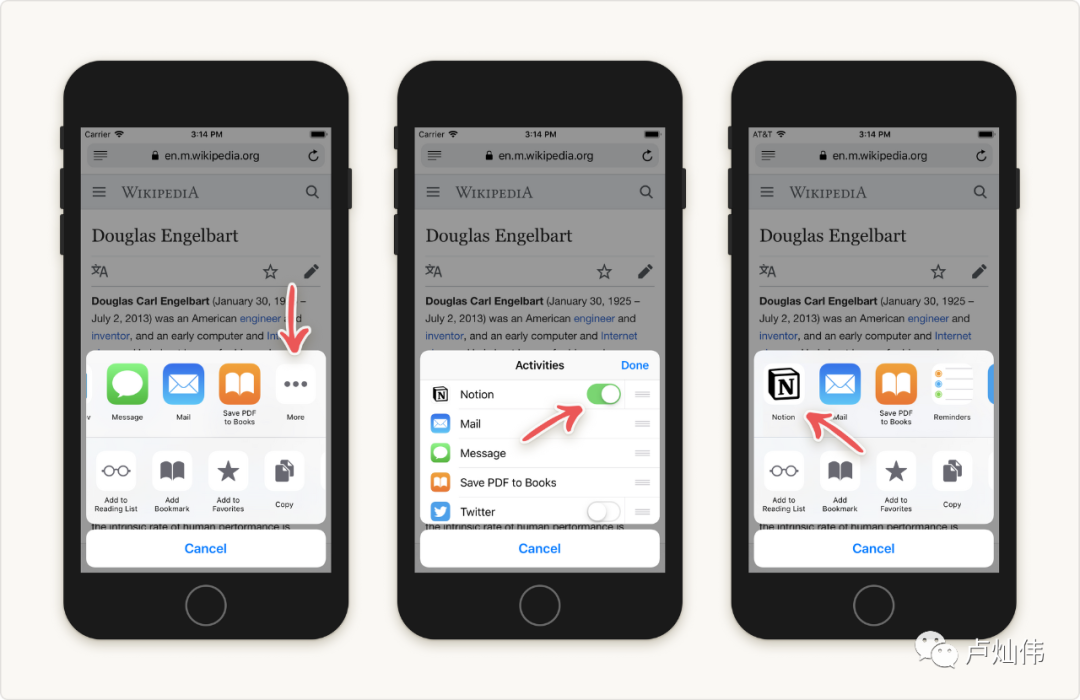
Clip on iOS
Clip on Android
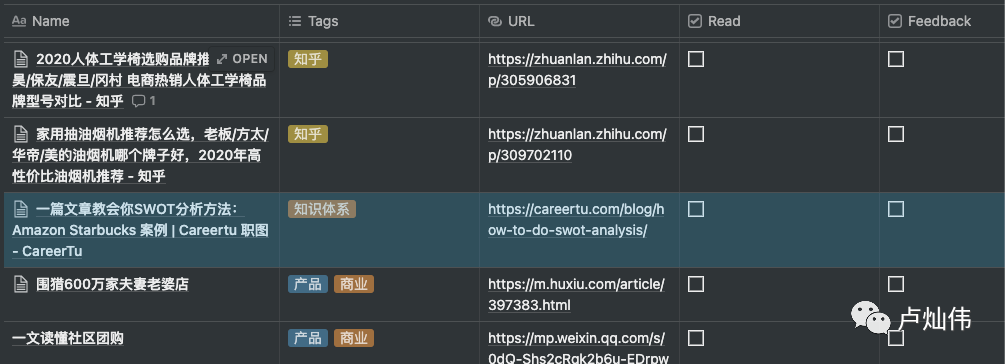
Knowledge Base
I then create two checkboxes: one indicates whether it has been read, and the other indicates whether there is an output. Most information that I feel is necessary to save after reading will be shared to Notion. The other checkbox is for information that I haven't had time to read yet but plan to later. The status will indicate this, and some information needed for writing will also be saved. As for tags, I don't have much experience in this area; if there are none, I just add them, and tables can also be filtered by tags.
Temporary Ideas
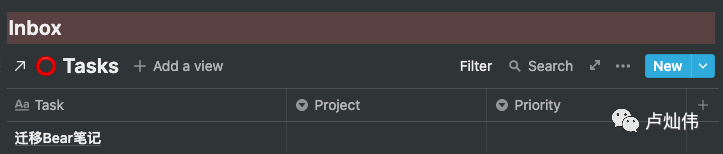
More often, I record ideas and things I want to do in the Inbox, which I won't elaborate on here. The Inbox needs to be cleaned regularly; some ideas will be converted into tasks, some will be deleted, and some may turn into writing or other forms of output.
Regarding GTD, my implementation is not particularly good. I am not very good at planning, so I am continuously finding a method that suits me.
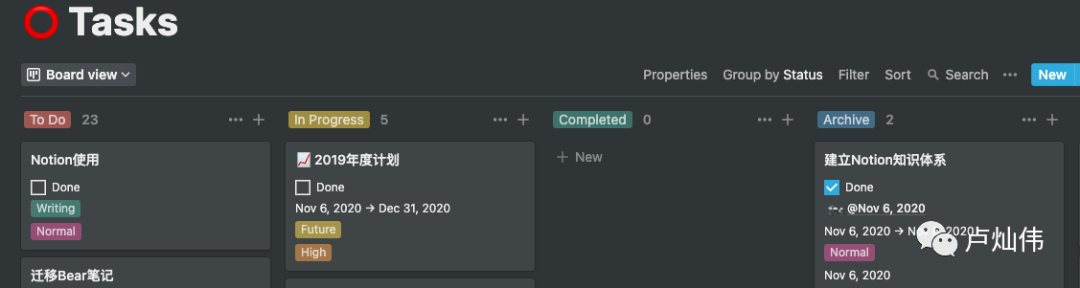
First, I will create a Task database to record all tasks, including those without deadlines, recurring tasks, and those with specific times.
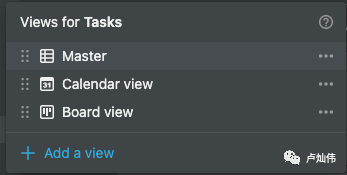
The Master view is mainly presented in table format, the Calendar is for time dimensions, and the Board is mainly for Kanban.
The initial envisioned process is as follows, but I haven't been able to implement it:
1. Record tasks or ideas in the Task (Inbox). Here, I should mention that Notion supports linking databases, so you can link this database on another page and then set filter conditions. For example, as shown below:
This is a section of content in my Dashboard, linked to Tasks, filtering out projects without any time plans.
2. Manage tasks through the Kanban: To Do → In Progress → Completed → Archive.
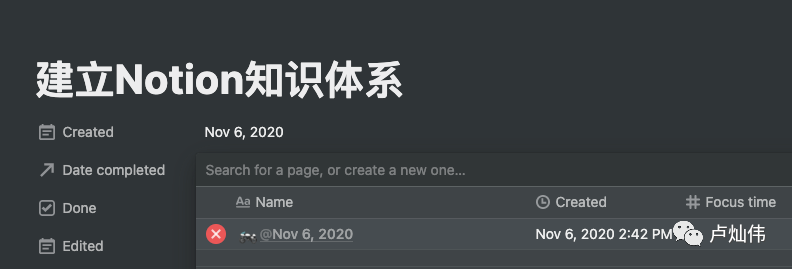
3. Upon completion, you can choose to link to a plan, as referenced below.
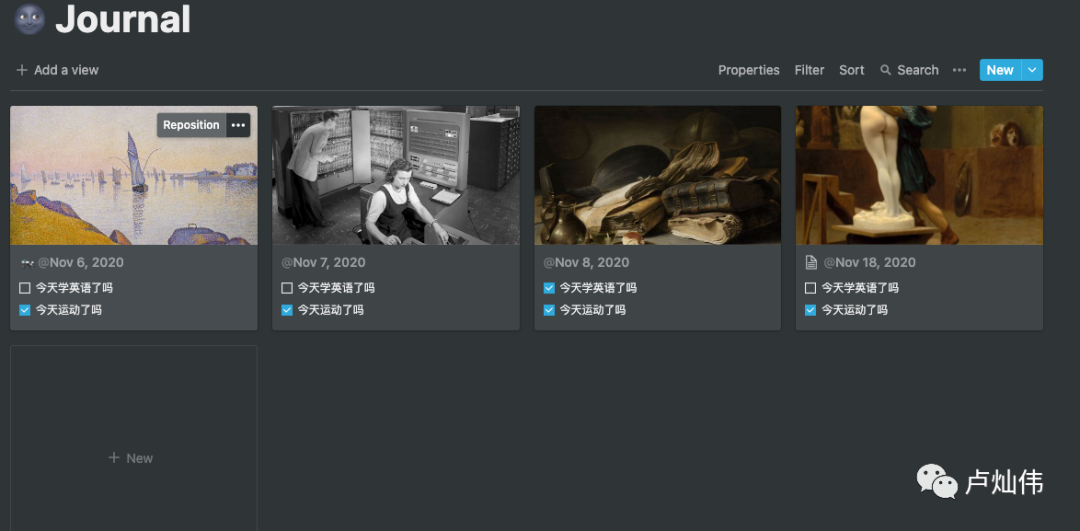
4. The Journal serves as a daily log for tasks to be completed, which you can see has been neglected for a long time.
System Information
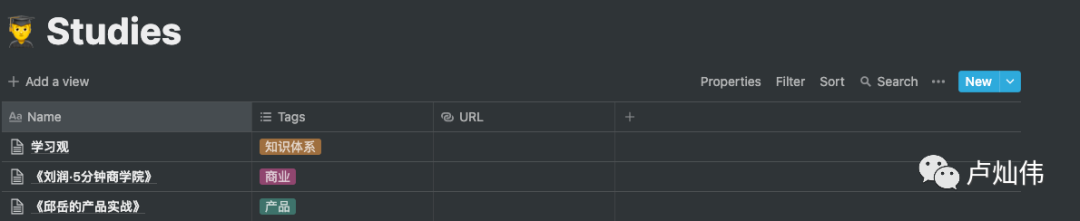
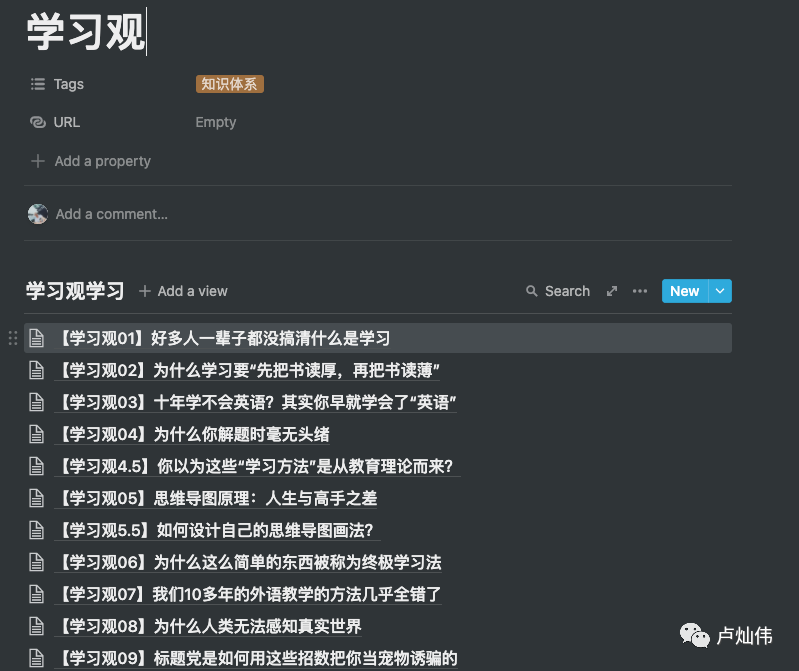
This section mainly includes paid readings, courses, or series of videos, etc., for more systematic learning that requires note-taking. For example, the "Learning Perspectives" video mentioned in the previous article contains content that mostly needs to be recorded and understood, so I created a separate chapter for it, including some recent product content and business thinking studies I have been watching.
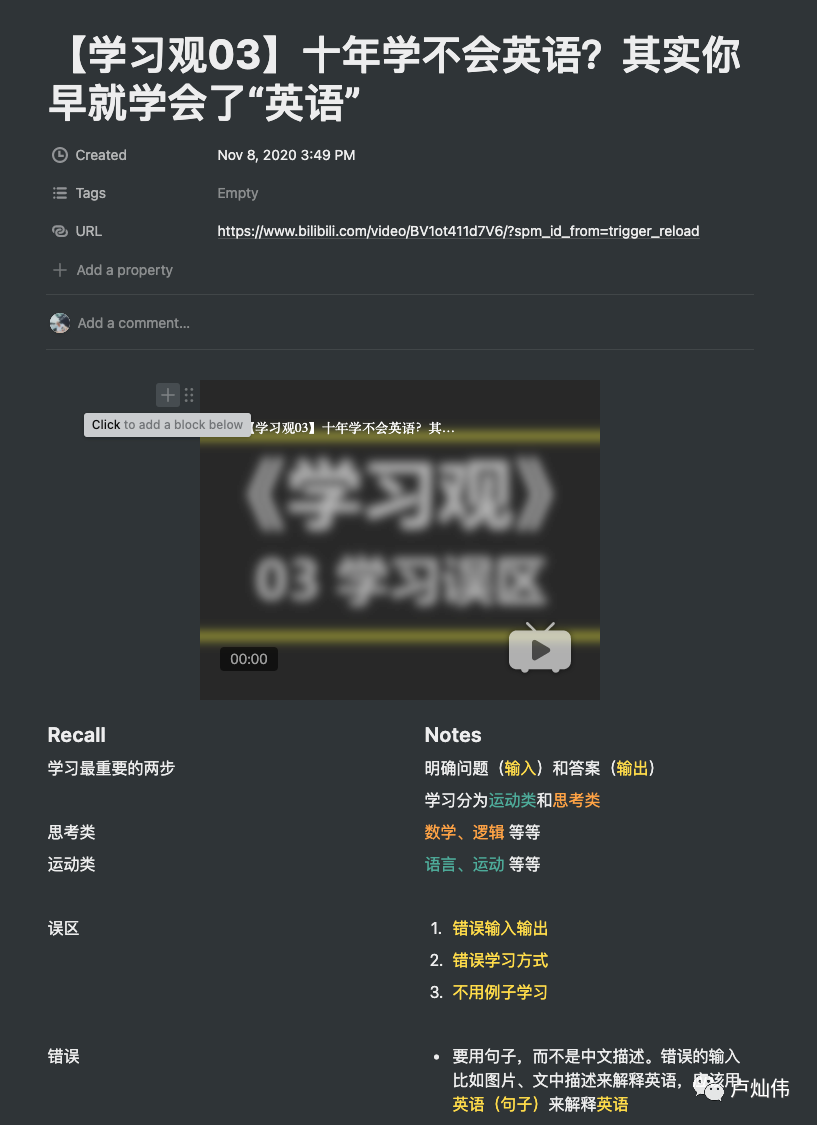
I use a database to record each item, then use a list to record each chapter, and subsequently create specific pages for detailed notes. You can also use templates to create a note-taking template for convenience.
Input - Learning
Image 1 > Image 2 > Image 3
Output - Writing
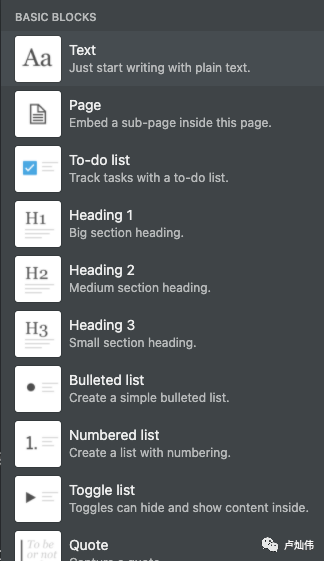
I won't elaborate on writing output. Previously, when using Bear or some Markdown editors, I found uploading images to be quite troublesome. Personally, I don't like the action of clicking to upload images. Notion supports commands that start with /, which greatly facilitates my writing. Additionally, unlike other Markdown products, it supports colors, which I find very satisfying. Below is a list of some commands.
However, I should mention that it is not pure Markdown, so there will be some issues when copying out. Especially when it comes to WeChat public account articles, having to reformat them is quite annoying. If anyone has good methods, please let me know.
Reading
Currently, I do most of my reading on WeChat Reading. Recently, WeChat Reading has a web version that can be directly used in the Kindle browser, which feels quite good for reading before sleep, reducing light exposure to the eyes and helping with sleep. You no longer need to use your Kindle to weigh down instant noodles.
This template was recommended by a lady on Bilibili, and I haven't started using it yet. Manually entering all the information is quite tedious for me. I plan to see if I can write a plugin to sync WeChat Reading data. Friends with experience and interest in this area can join me for discussion. Currently, the filtering function of WeChat Reading is too weak, so I hardly use it.
Additionally, I want to share my reading habits. For books that do not require strong memorization, I listen to audiobooks at double speed. If I have time to look at the screen (like during commuting), I read along with the text; if not (like when running), I just listen. For books that require strong memorization, I read quietly at home with my Kindle (most of the time at home). If it’s more specialized content that needs to be recorded, I take notes while reading in front of my computer.
I recommend a split-screen application, Spectacle. I usually split my screen into two sides: one for input and one for output.
Conclusion
This time, I mainly talked about how I usually use Notion, which also fills a gap from my previous article. My practice of GTD is not particularly good, so experienced friends can share their insights. Currently, I set my Pomodoro timer for 55 minutes, followed by a mandatory 5-minute break. I mainly use JustFocus, which can enforce a lock screen countdown.
The above are some of my experiences or habits using Notion. If there are updates in my methods, I will take time to write another article.
Additionally, I recommend Shao Nan's product "Reflections," which covers product design, service design, data analysis, internet technology, economics, psychology, sociology, decision-making, natural sciences, urban planning, retail, team management, and more. Many of my Notion and learning-related insights come from there; I will include the link in the original text.